Use Prepaid Tokens in a Scan
This guide explains how to run a Deep Agentic Scan with Cyber Models prepaid tokens instead of BYOK.
Prerequisites
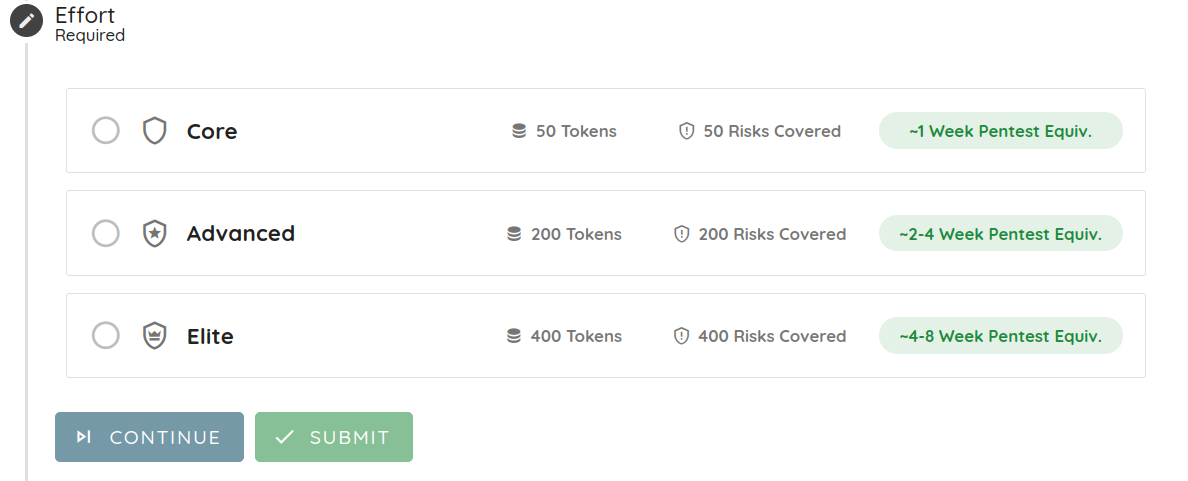
Before you start, make sure you have purchased tokens and your wallet has enough balance for the Scan Effort you want to use: Core = 50, Advanced = 200, Elite = 400 tokens.
Run a scan with Cyber Models
-
Navigate to the New Scan flow and choose your target type.
-
Complete the scan setup steps (target and profile), choose the Deep Agentic Scan option, then continue until you reach the AI Provider step.
-
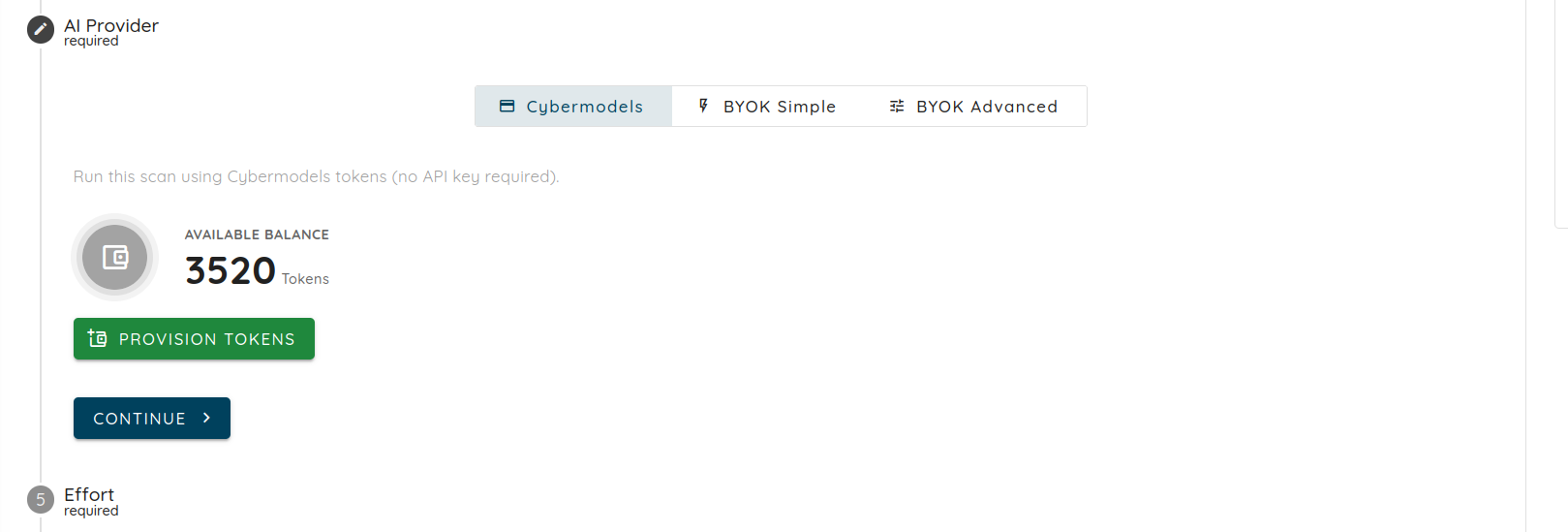
At the AI Provider step, select the Cyber Models tab (labeled Cybermodels in the UI) instead of BYOK Simple or BYOK Advanced. This runs the scan using your prepaid tokens with no API key required, and shows your available wallet balance. Click Continue.
- At the Effort step, choose Core, Advanced, or Elite. Each option shows its token cost, the number of risks covered, and the equivalent pentest duration. Click Continue.
- Click Submit to run your scan.
When the scan starts, the full token cost of the selected effort is debited from your wallet upfront. If the balance is insufficient for the selected effort, the scan is rejected with a message prompting you to buy more tokens.
Track consumption and refunds
While the scan runs, you can follow live consumption from the scan view. Ostorlab provisions a managed AI provider key with a spend cap matching the selected effort, so the scan never exceeds its token budget.
When the scan stops or completes, the actual spend is computed and any tokens that were debited but not used are refunded to your wallet.
You can review both the initial debit and the refund in your transaction history.