Remediation Calendar
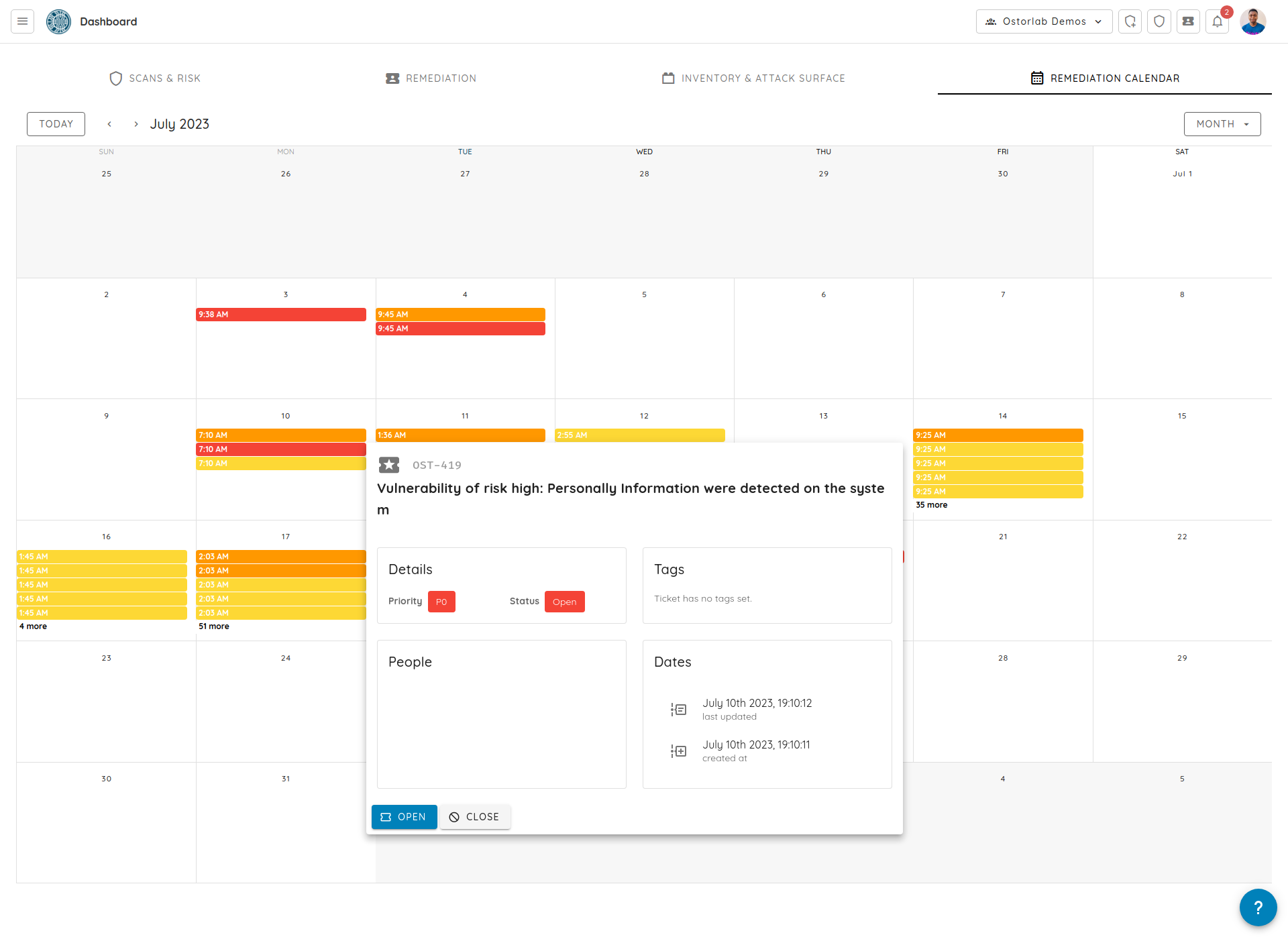
The Remediation Calendar shows your open tickets on the day each vulnerability was reported. Add it to a dashboard from the Threat Intelligence category of the widget catalog, where it is listed as Scheduled Scan Events: see Custom dashboards.
Each ticket is colored by priority: red for P0, orange for P1, yellow for P2 and blue for P3. A black ticket is past its SLO. Use the arrows to move between months, and Month to switch to a week or day view.
Click a ticket to see its priority, status, SLO and dates, then click Open to go to the ticket.