Copilot Example Queries
Ostorlab Copilot helps you quickly access information, perform actions, and streamline security workflows. Below are practical examples of how you can use Copilot to enhance your experience with the platform.
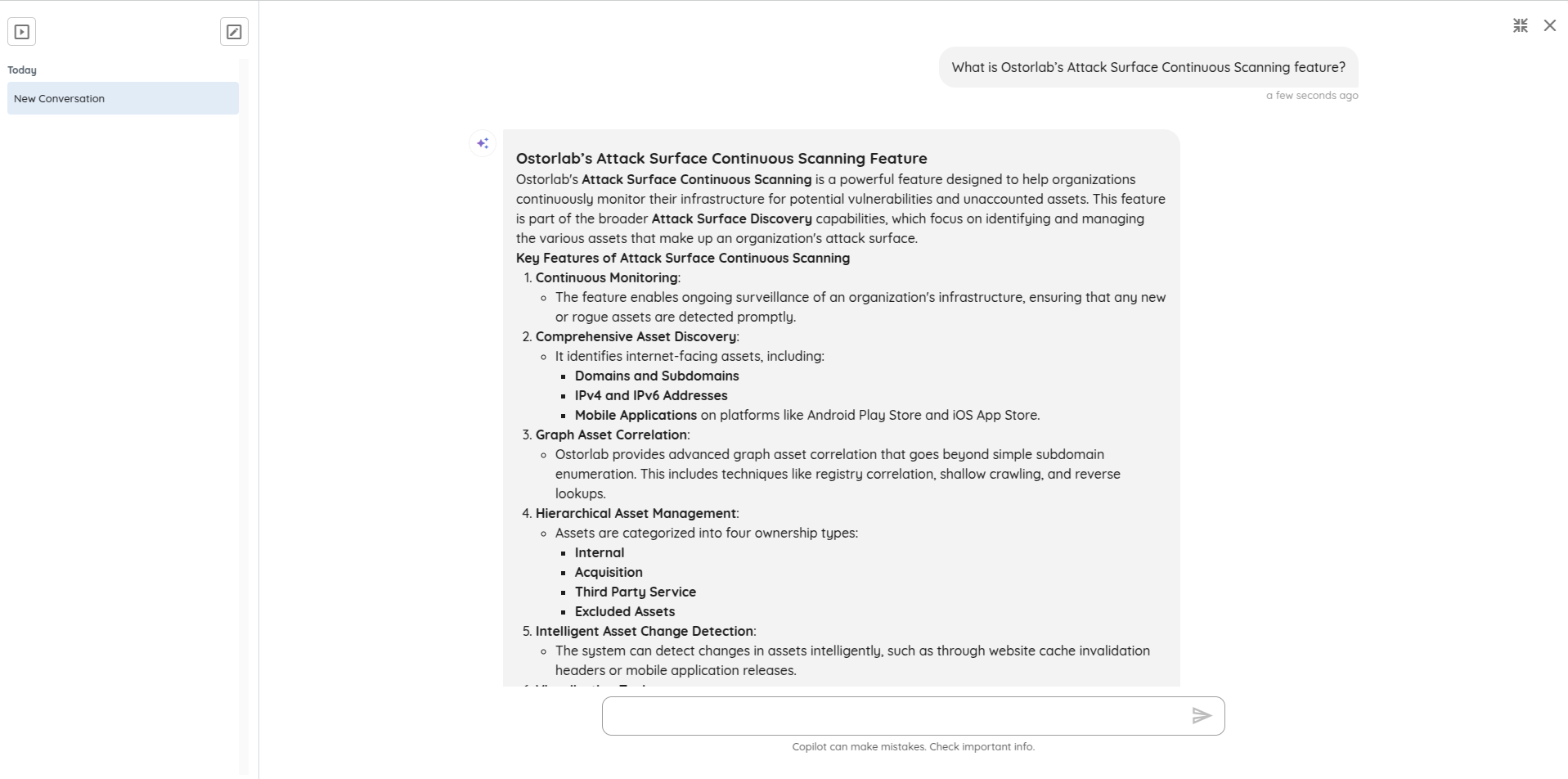
Example 1: Search Documentation
You can ask Copilot to find relevant documentation.
Query:
"What is Ostorlab’s Attack Surface Continuous Scanning feature?"
Response:
Example 2: Summarize a Scan
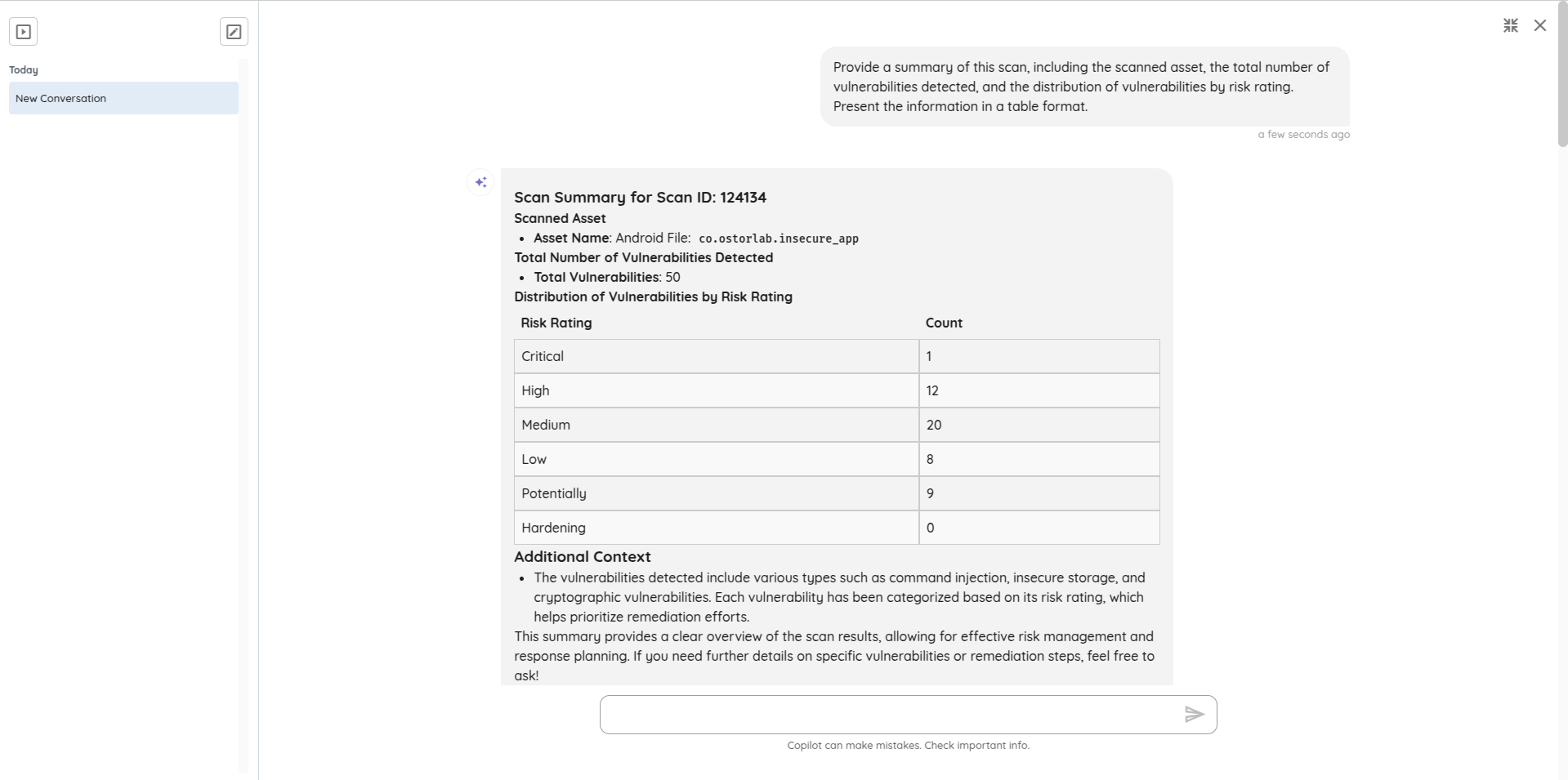
Ask Copilot to provide a summary of a scan. In this example, Copilot has access to the context of the current page and can summarize the scan displayed on it.
Query:
"Provide a summary of this scan, including the scanned asset, the total number of vulnerabilities detected, and the distribution of vulnerabilities by risk rating. Present the information in a table format."
Response:
Example 3: Summarize a Ticket
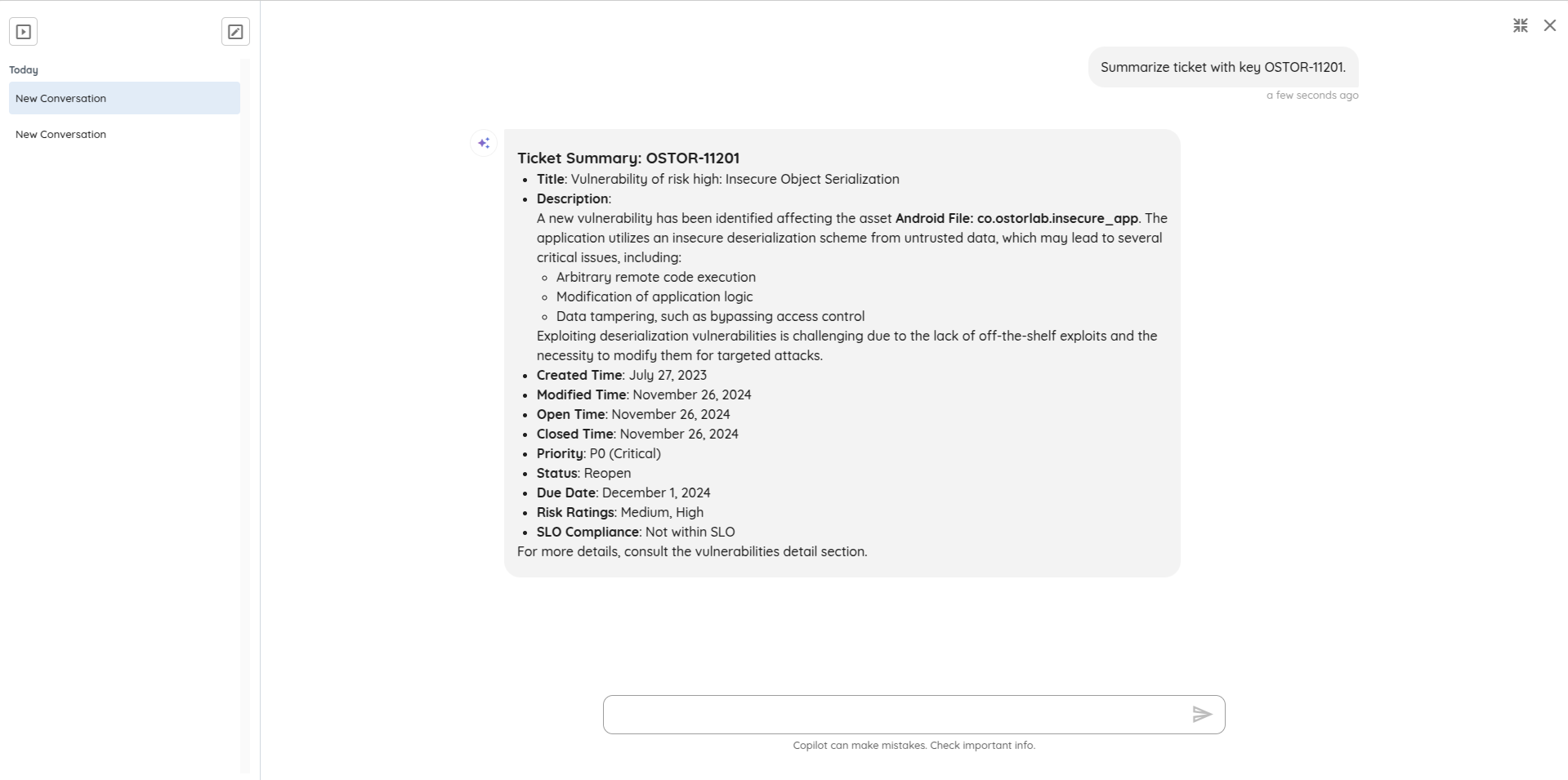
Ask Copilot to provide information about a specific ticket. In this example, we provide the ticket key and ask for a summary of the ticket, since we are on a different page.
Query:
"Summarize ticket with key OSTOR-11201."
Response:
Example 4: Retrieve SLO Configurations
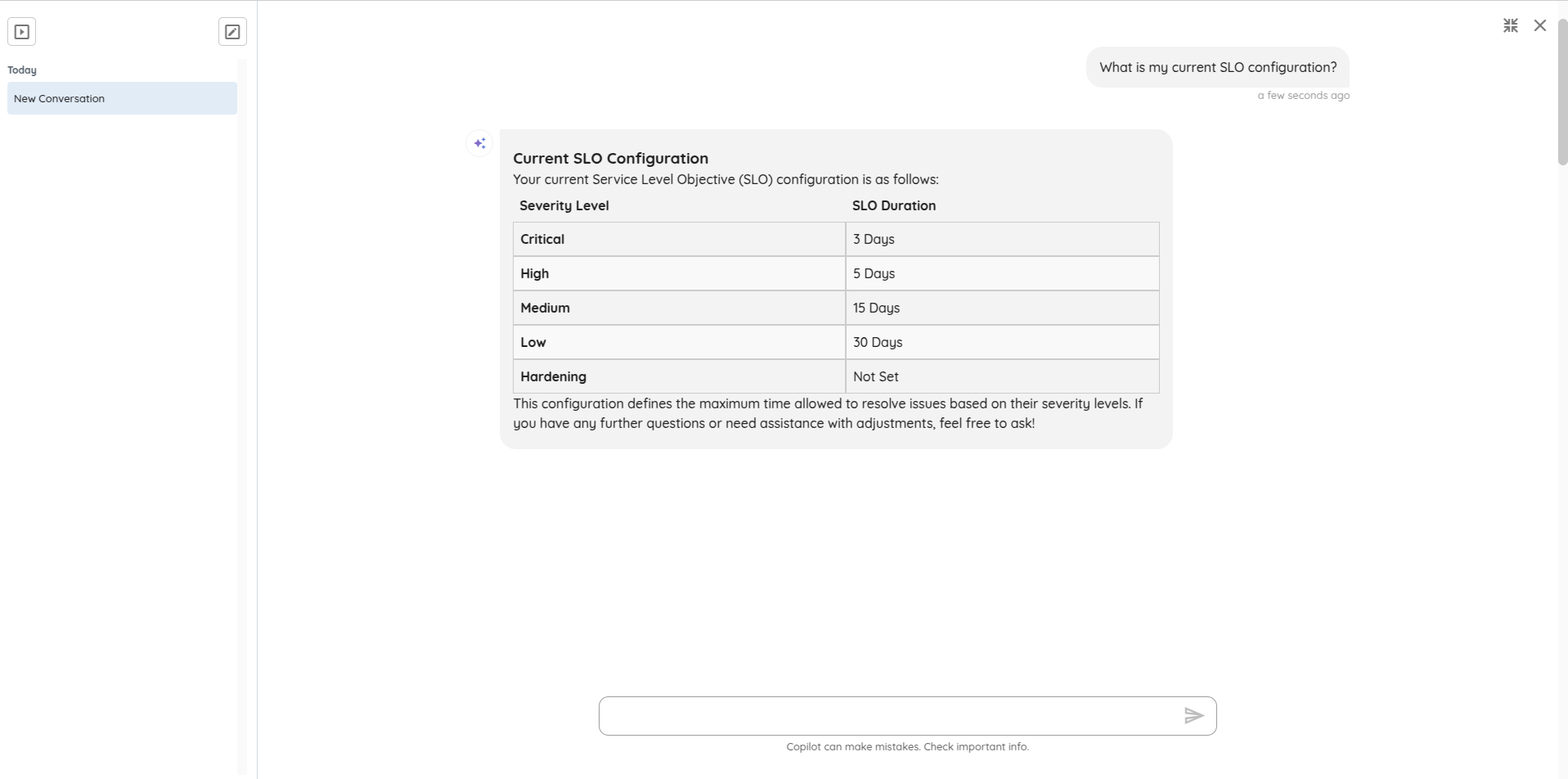
Check your current service level objectives (SLO) settings.
Query:
"What is my current SLO configuration?"
Response:
Example 5: Fetch Platform Metrics
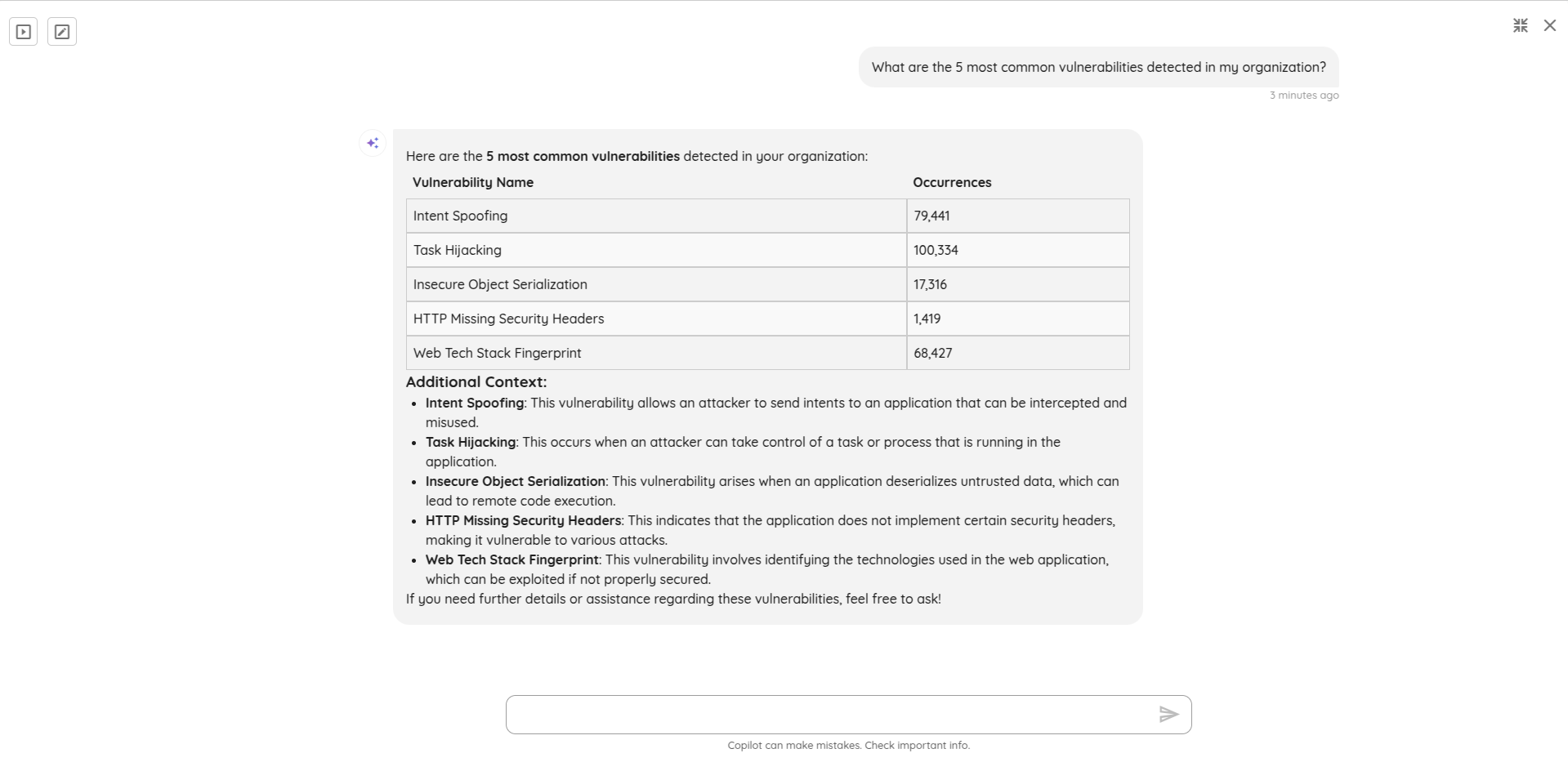
Get information about the most common vulnerabilities detected in your organization.
Query:
"What are the 5 most common vulnerabilities detected in my organization?"
Response:
Example 6: Get Threat Center information
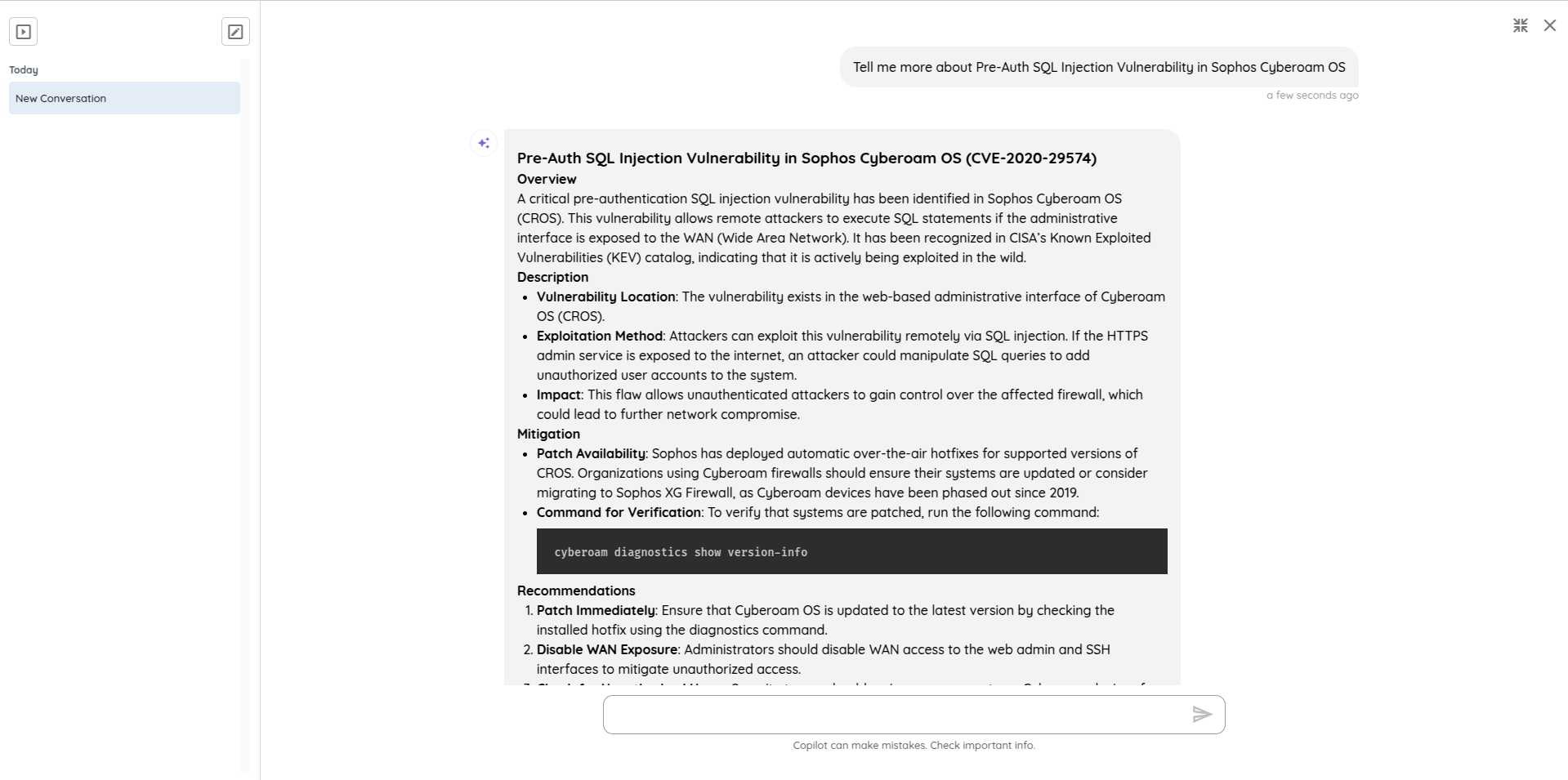
Ask Copilot to provide details about a specific vulnerability.
Query:
"Tell me more about Pre-Auth SQL Injection Vulnerability in Sophos Cyberoam OS."
Response:
These are just a few examples of how you can interact with Ostorlab Copilot to get the most out of the platform.