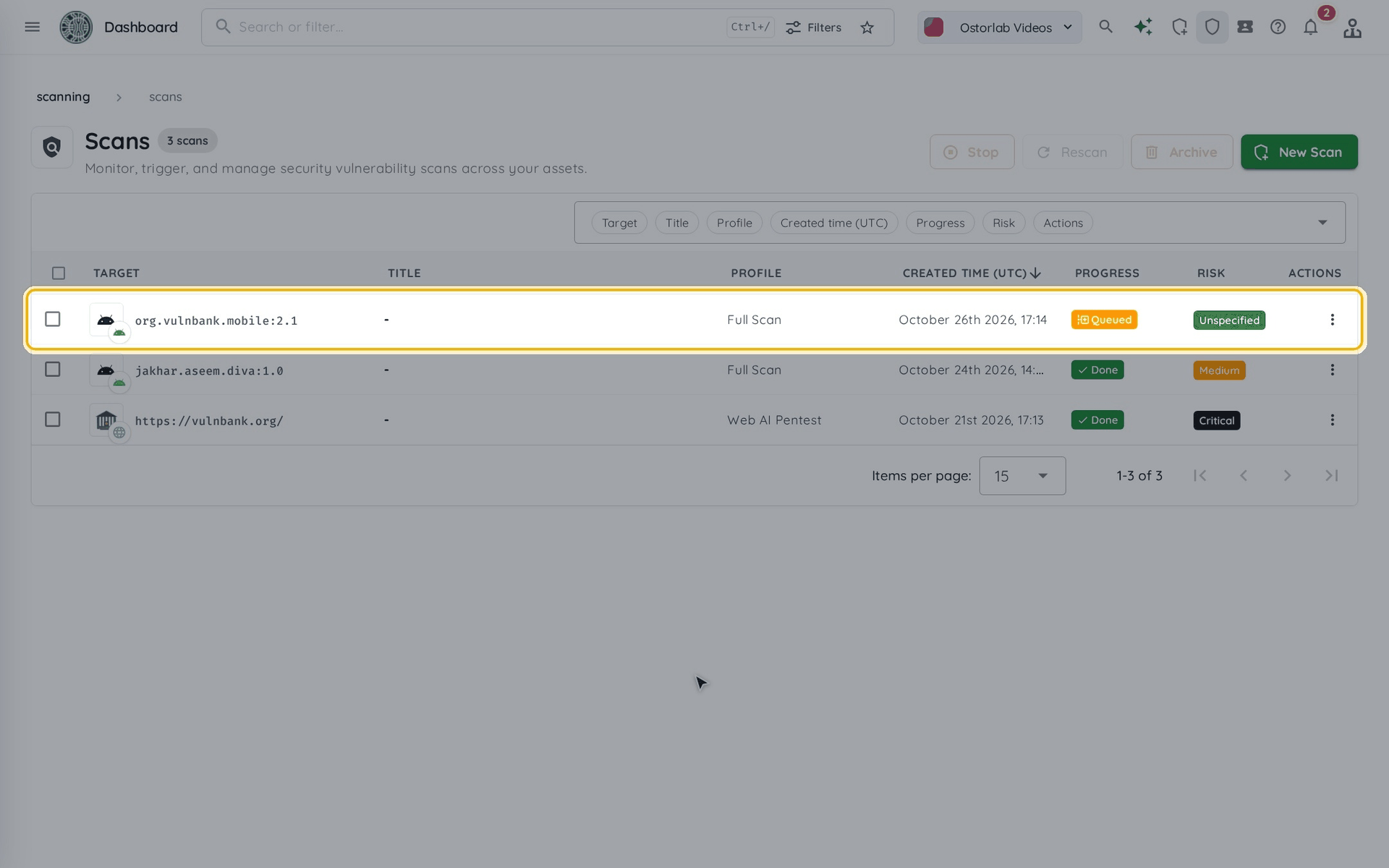
Scan Mobile Application from a File
To scan a mobile application from a file:
-
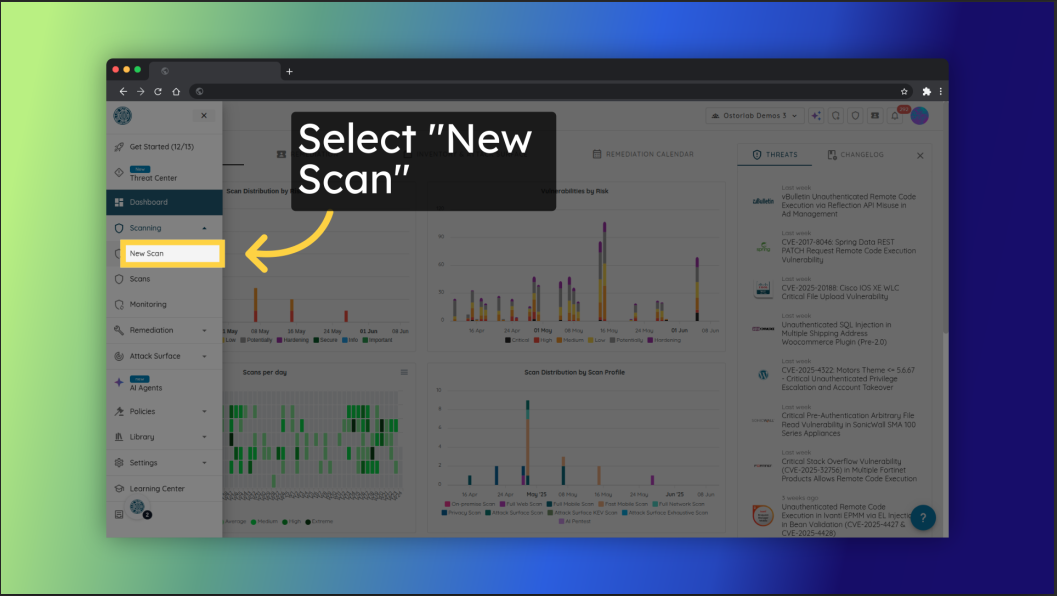
Click New Scan in the top bar.
-
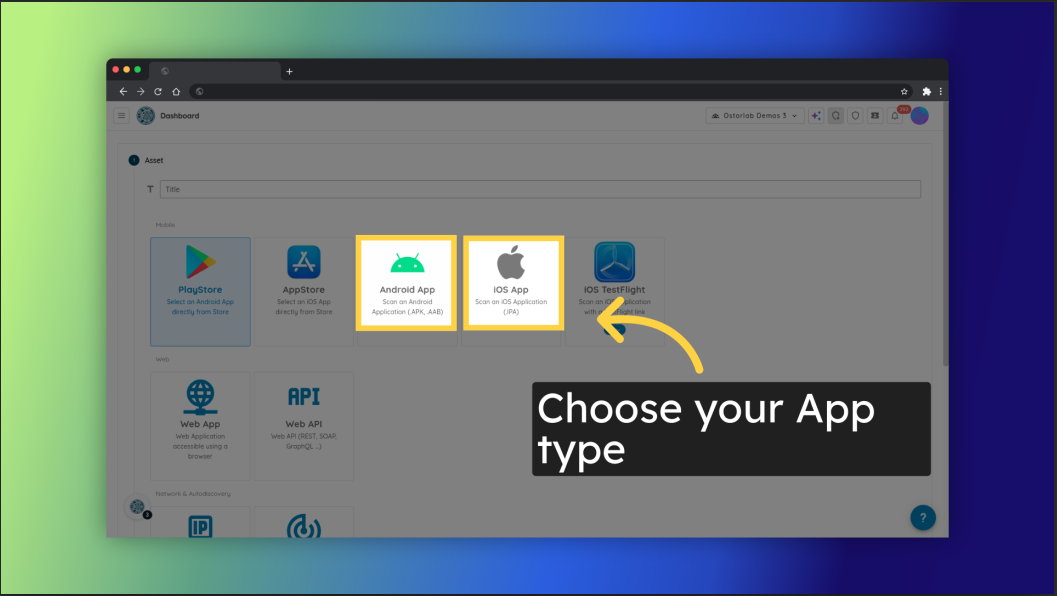
Choose Android App, iOS App, or HarmonyOS App.
-
Upload your mobile application file (for example
.apk,.aabor.ipa) and click Continue.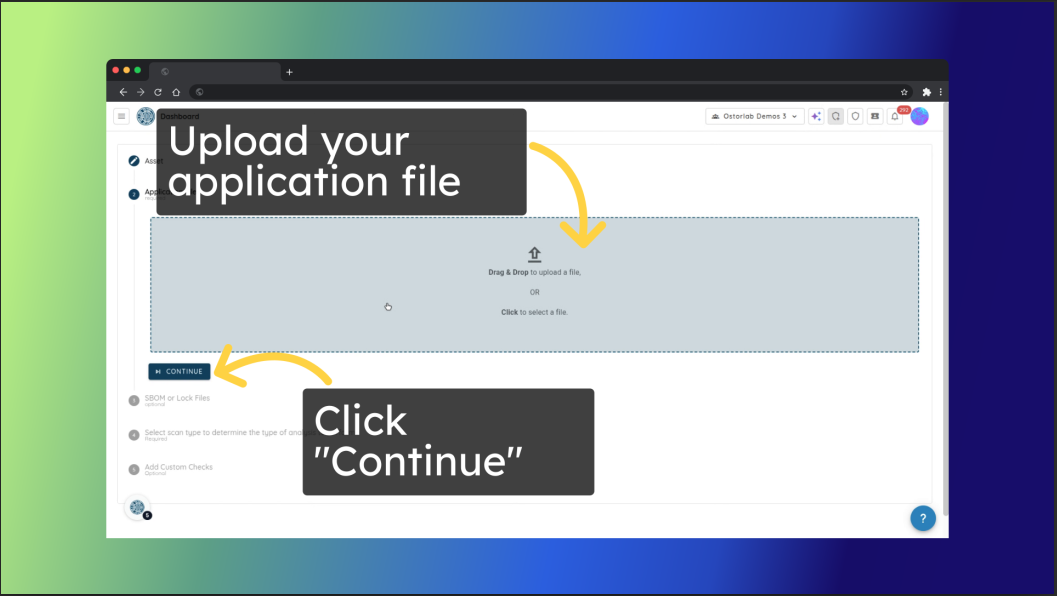
-
The Extra Context step is optional: click Continue to skip it.
-
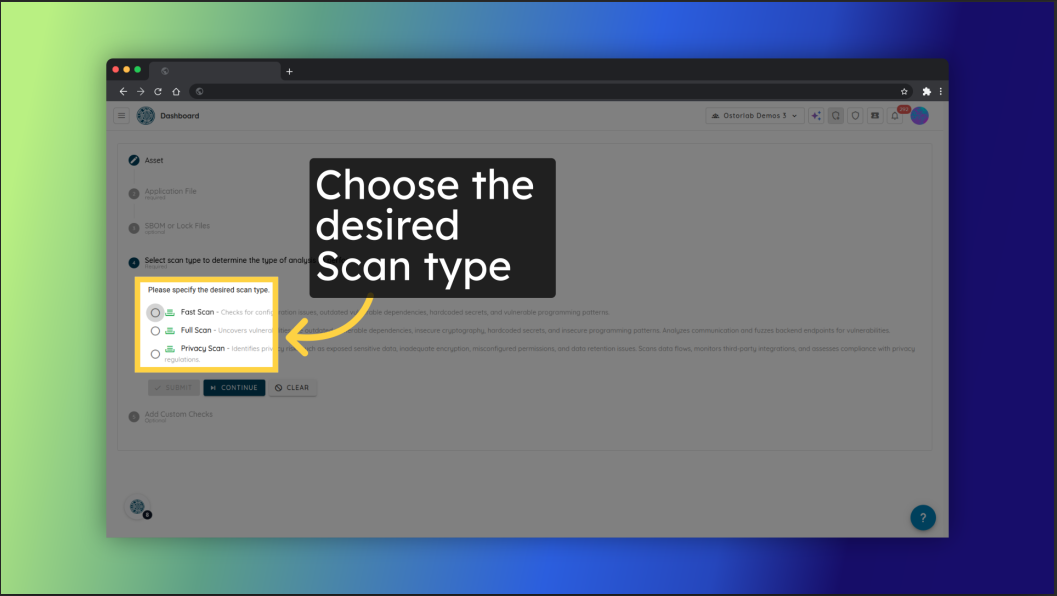
Select the desired scan profile, for example Fast Scan for a quick static analysis, Full Scan for a comprehensive static, dynamic, and backend analysis, or Privacy Scan for privacy risk detection. See Mobile Scan Profiles for all the profiles.
-
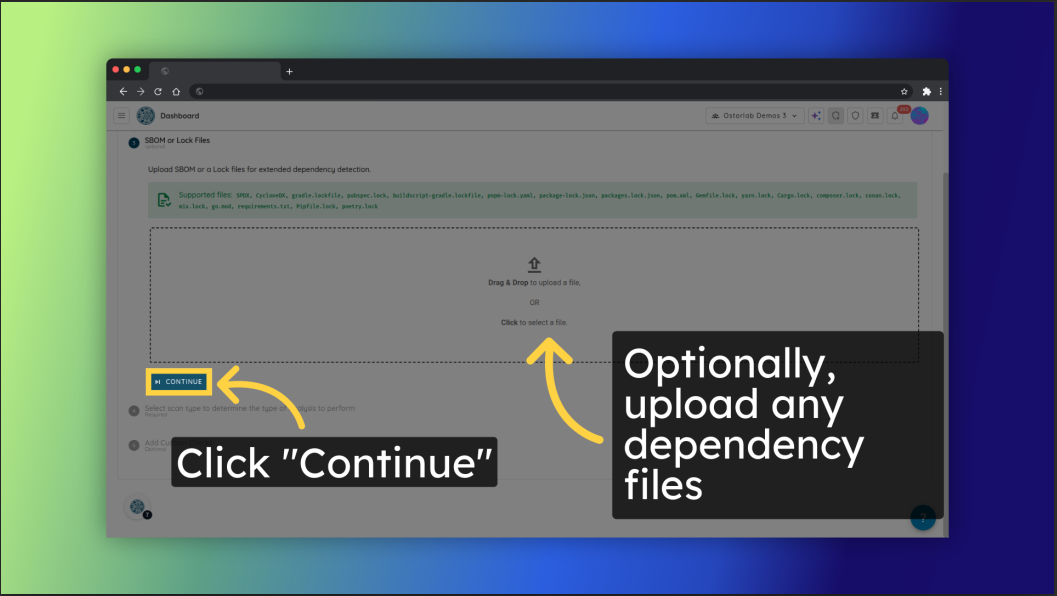
The next steps are optional. In SBOM Files, you can upload an SBOM or a lock file for extended dependency detection. Depending on the profile, you can also add test credentials, advanced settings, prompts, custom checks and tags.
-
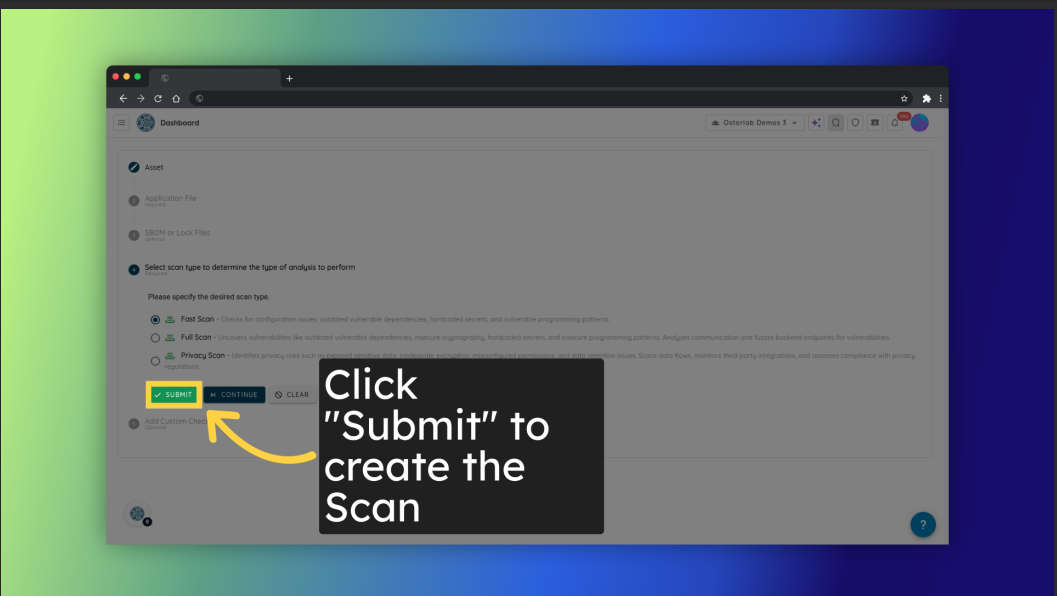
Finally, click Start scan to create the scan.
-
Follow the scan from Scans in the top bar: it is queued, then running, then done.