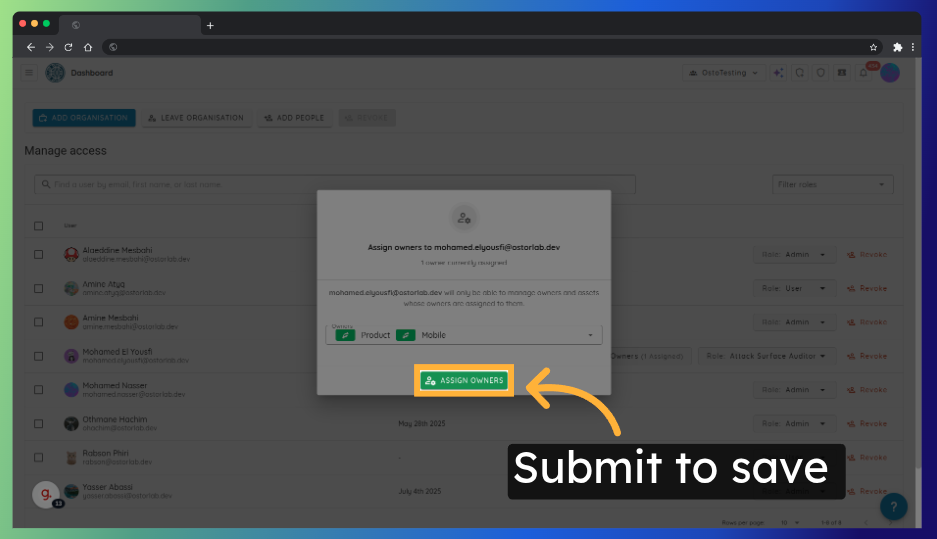
Managing User Access & Attack Surface Auditors
This guide will show you how to manage user access and assign Attack Surface Auditors to asset Owners in your organization.
Attack Surface Auditors are users responsible for monitoring specific assets like domains or apps. Assigning Owners helps ensure each auditor is focused on their scope and that alerts reach the right teams.
After completing this tutorial, you will be able to:
-
Add and manage users within an organization.
-
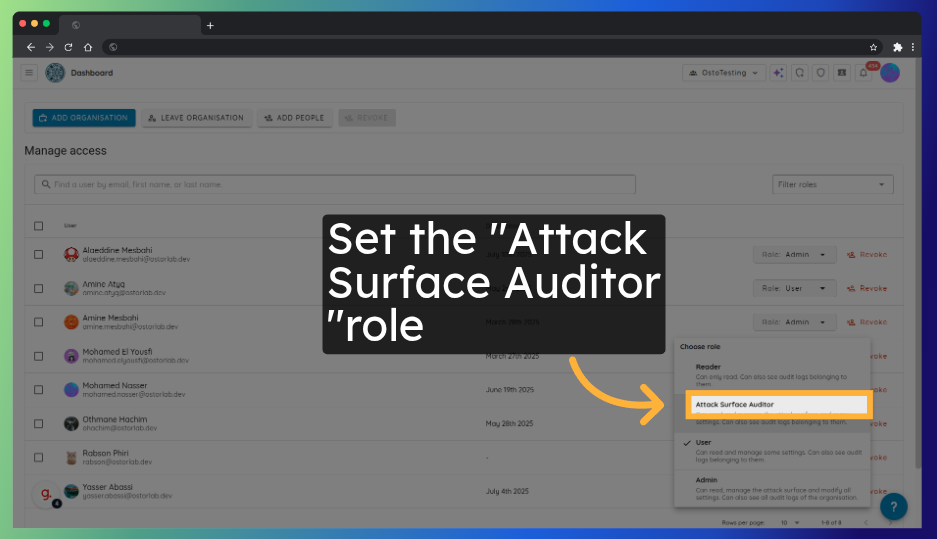
Assign roles to users, including the Attack Surface Auditor role.
-
Link auditors to specific Owners.
Watch: assigning an Attack Surface Auditor to asset Owners from Organisation → Access.
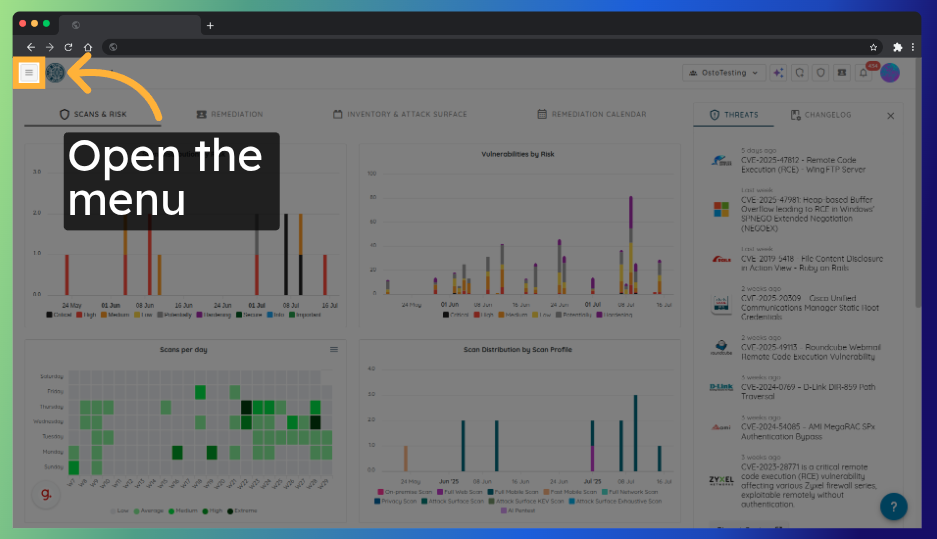
Step 1: Open the Sidebar Menu
Click the menu icon (☰) in the upper-left corner to open the sidebar.
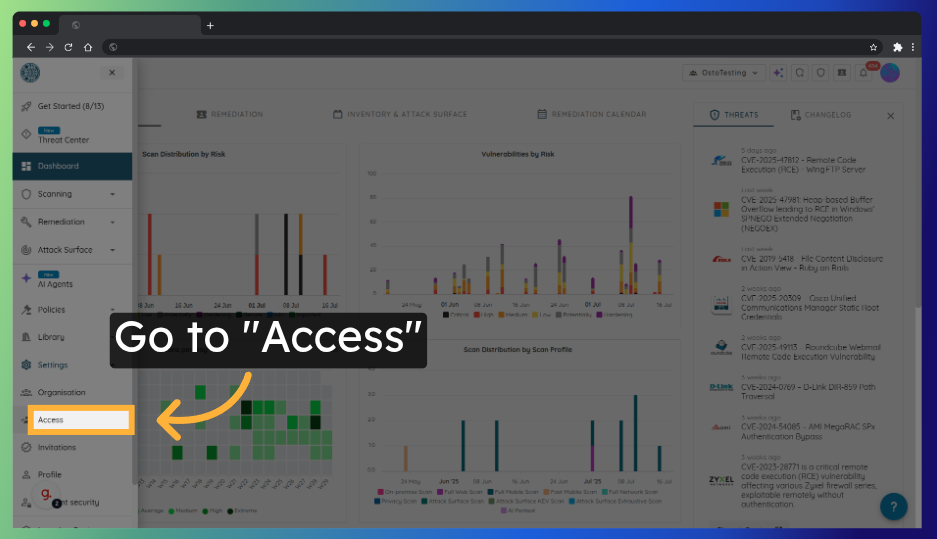
Step 2: Navigate to Organisation → Access
From the sidebar, go to Organisation, then choose Access.
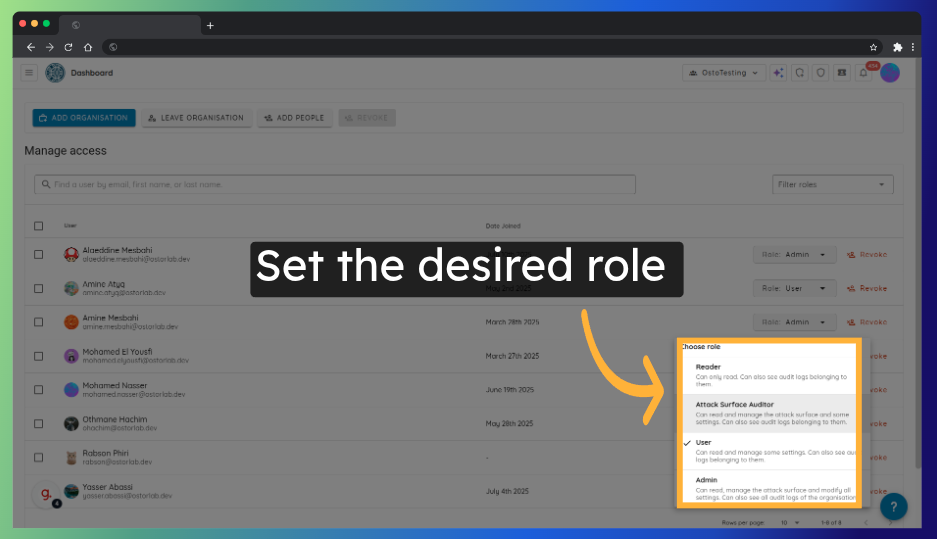
Step 3: Manage Users
On the Access page, you can:
- Update user roles
- Add new users to your organization
Step 4: Assign an Attack Surface Auditor
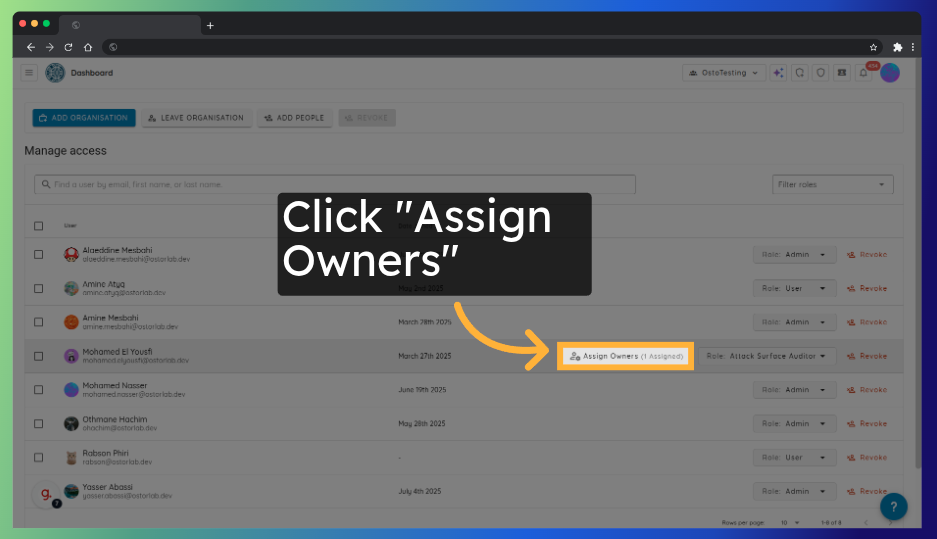
For users who have the Attack Surface Auditor role, you can assign and update the Owners they are assigned to. Click on Assign Scope.
Step 5: Select Owners
Search for and select the owners to whom you want to assign the auditor.
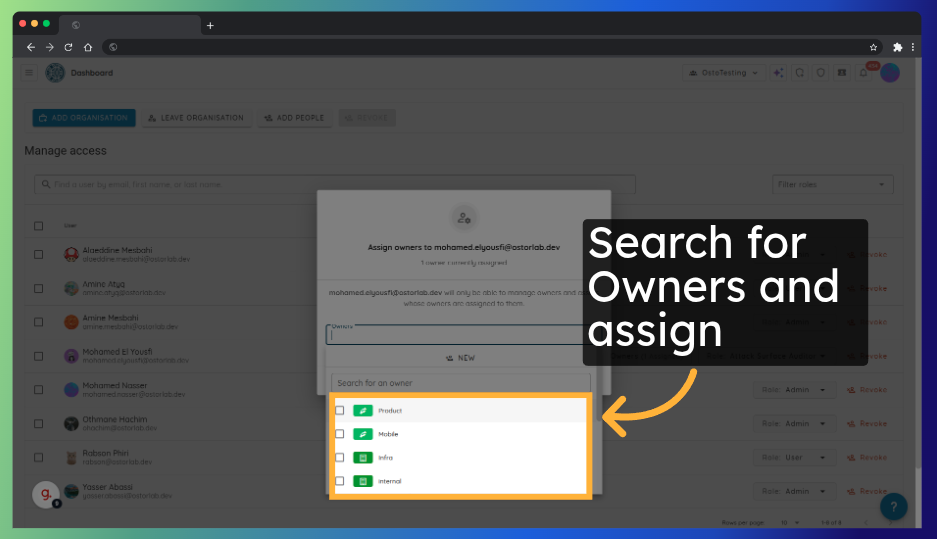
Step 6: Assign Owners
Click Assign Owners to save your updates.