Remediation
The Remediation widgets show all ticket-related metrics. Add them to a dashboard from the Remediation & SLA category of the widget catalog: see Custom dashboards.
Ticket Status Trends
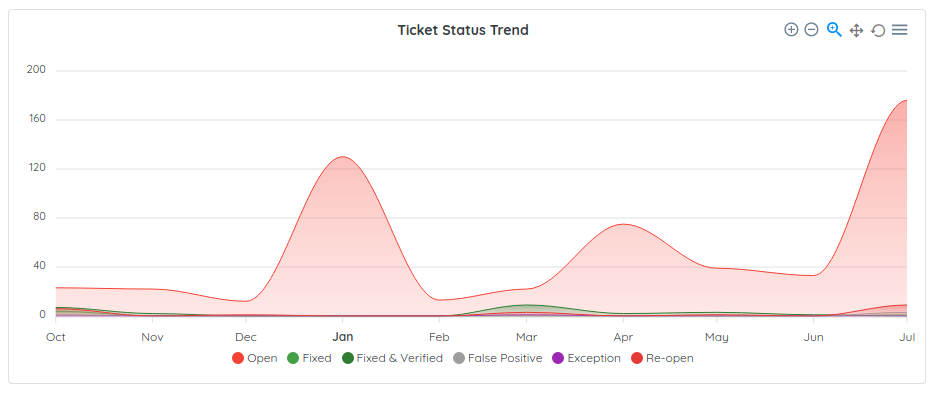
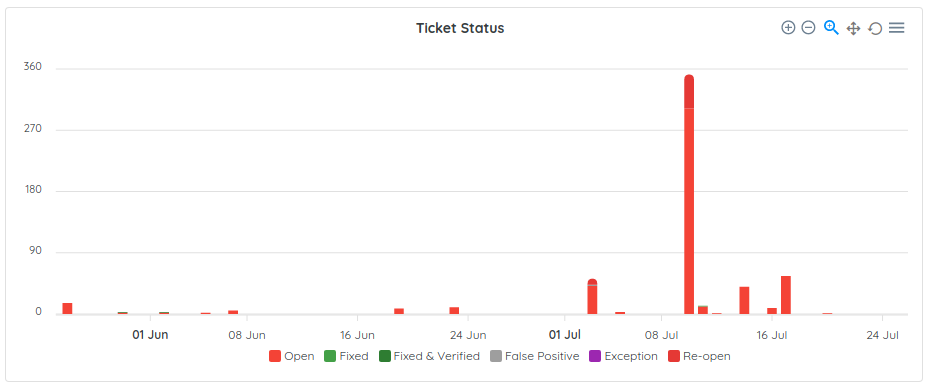
Ticket status trends are monthly and daily metrics showing changes in how many tickets are opened, re-opened, fixed, verified or marked as a false-positive or exceptions. This metric can reflect the velocity of your team at handling and fixing bugs.
Out-of-SLO Tickets
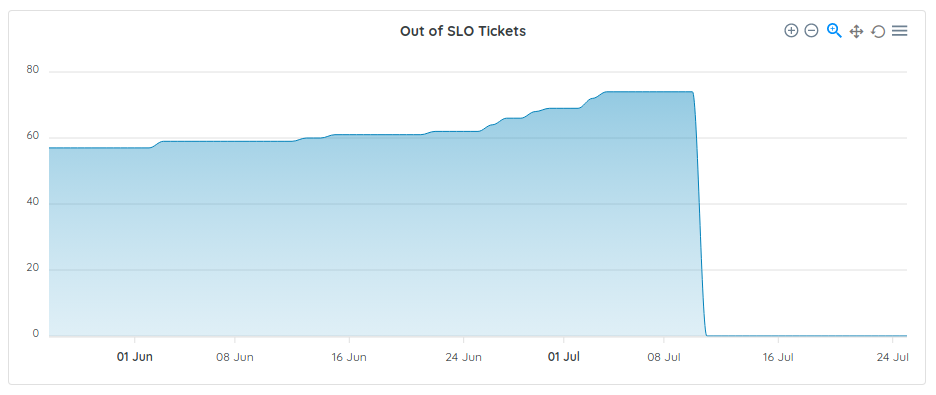
The out-of-SLO metric shows how many tickets do not respect your configured patching policy. Ostorlab allows you to define your patching policy by risk rating or ticket priority. This metric either shows an inadequate patching policy or the need for more resources to address the volume and urgency of identified vulnerabilities.
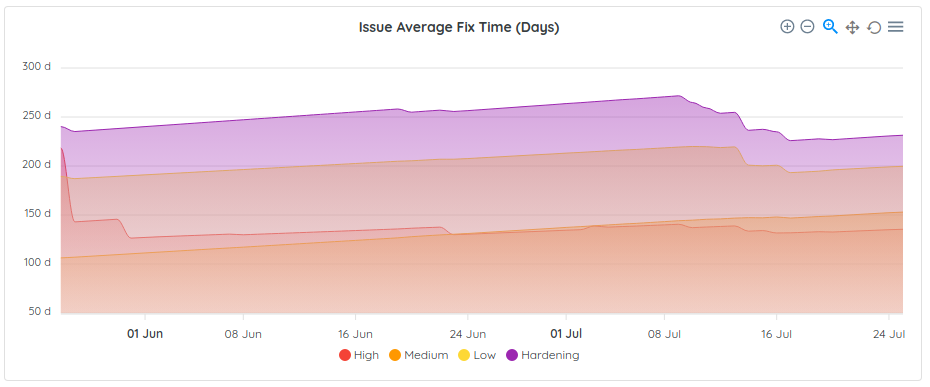
Issue Average Fix Time (Days)
The Issue Average Fix Time metric shows the average number of days it takes to fix tickets, per risk rating.
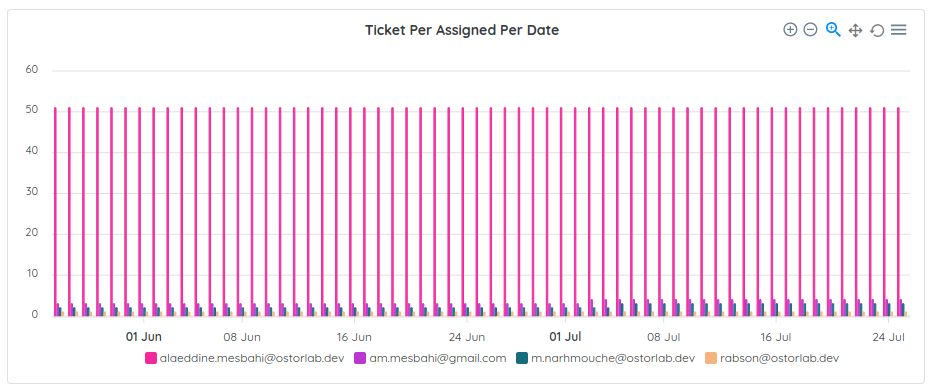
Ticket Per Assigned Per Date
These metrics show the number of tickets assigned to each user per date.
Ticket Priority
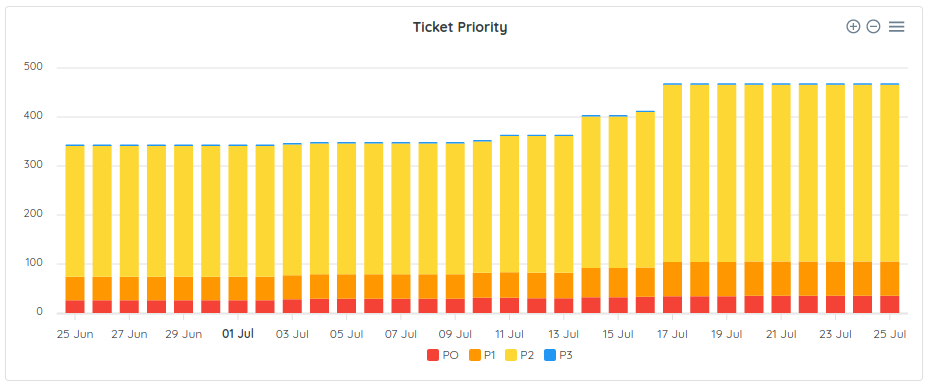
These metrics show the number of pending tickets per priority on a daily basis.