Disable Email Notifications
To disable the email notifications:
-
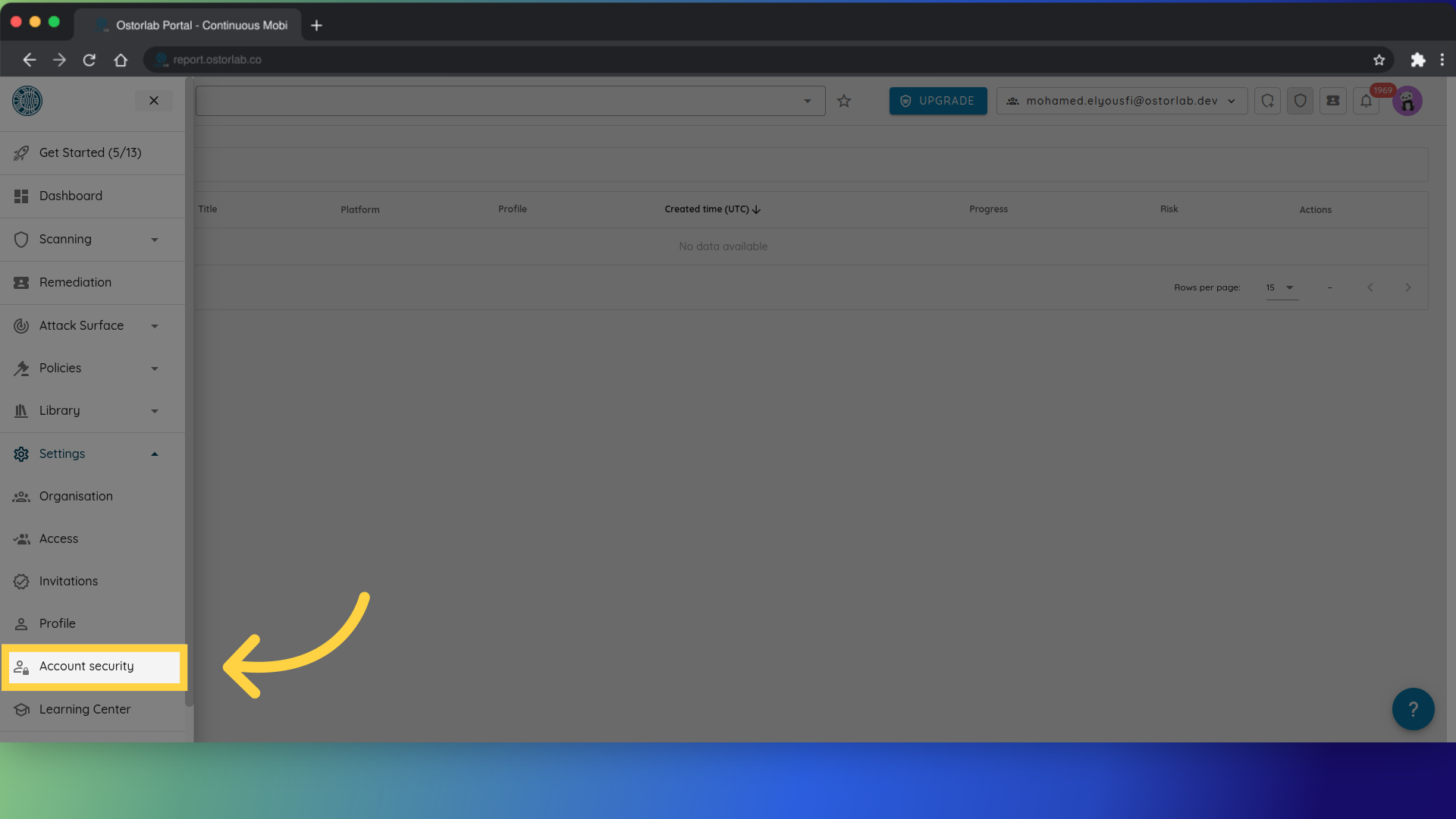
Visit the Account Security menu.
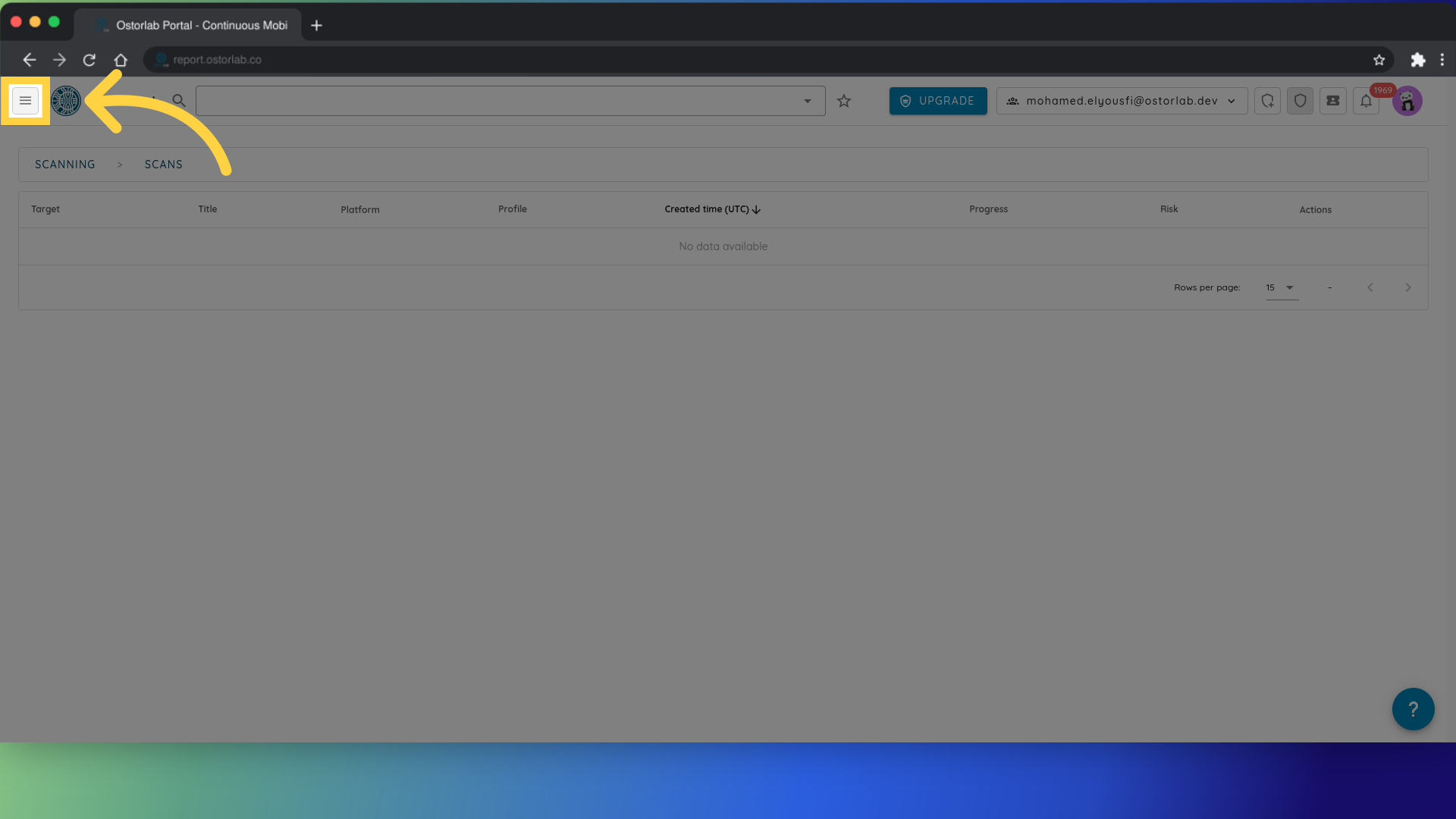
First, click on the menu button.
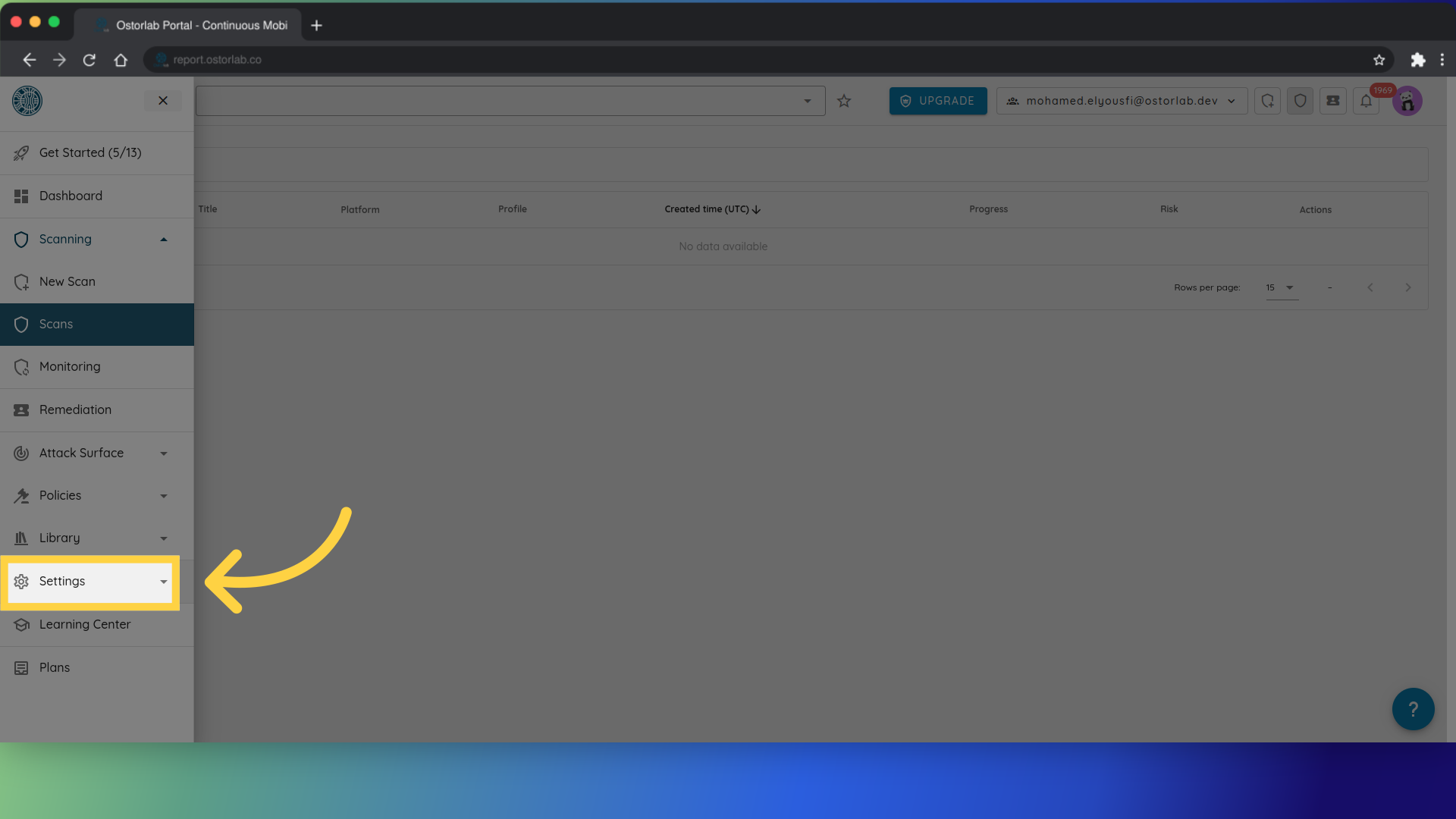
Then click Account.
After that, navigate to the Account Security section.
-
Scroll down to "Settings".

-
Choose to enable or disable email reception.